
I will explain what I thought while I shot and processed a Leica M10M file. I will combine what I considered in shooting and processing an image shot with the Leica M10 Monochrom.
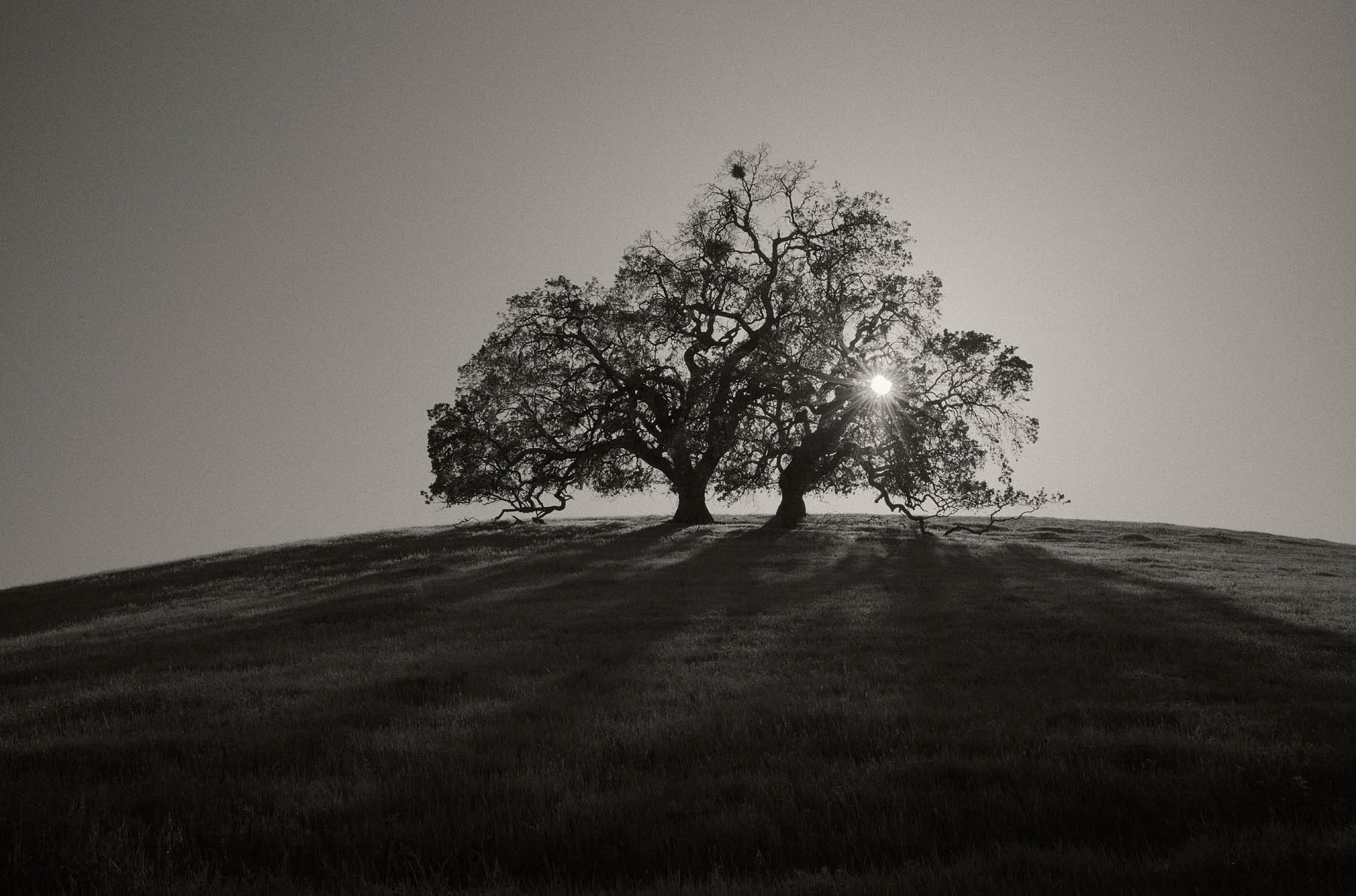
A look into how I Shoot and Process Leica M10M files 1. Photographing into the sun can have challenges. Depending on the lens you use, flare can be a factor you need to balance. Exposure is critical in regards to the sun. 2. Processing the image will take a little time since you underexpose the image to preserve the sun. 3. Process a little more by tint and grain. 4. Final words about capture and process.
Exposure and framing the photo
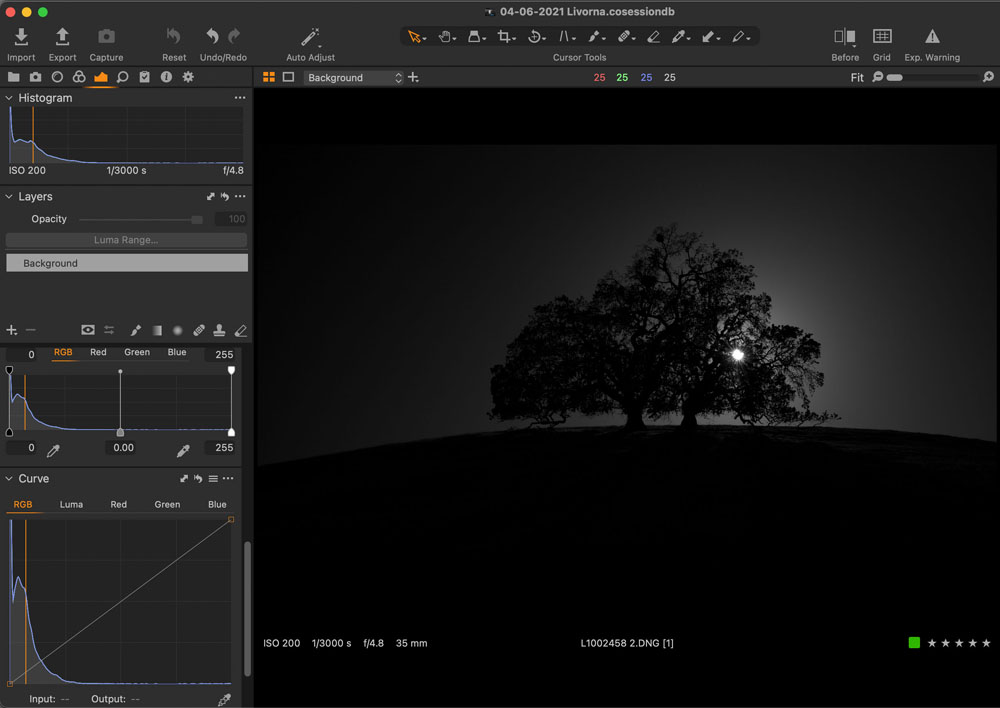
I started on a hike, and a pair of trees with the sun behind them caught my eye. The shadow of the tree projected nicely on the hill coming toward me. I picked my M10 Monchrom with a 35mm Summilux and orange filter to frame up the image. The Meter pointed (Center-Weighted meter pattern) at the sky and then stopped down a 1 1/2 stop. I focused and then made an exposure. The pre-view was dark as expected, with the sun perfectly exposed.
Importing images into Capture One Pro
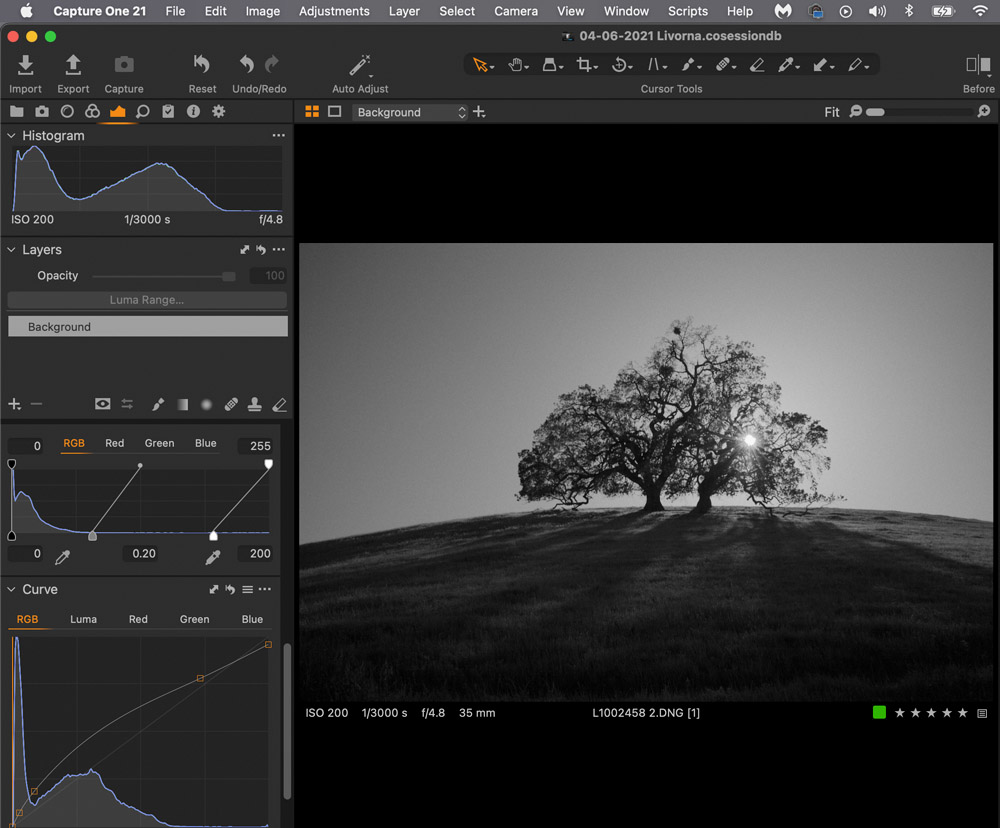
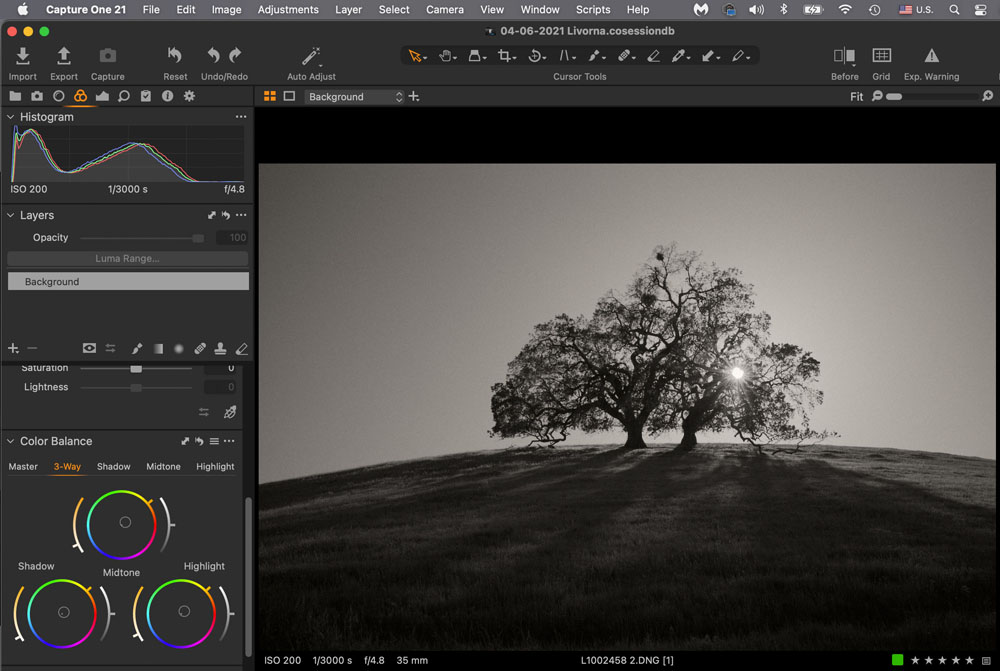
After the hike, I imported the images into a New Session in Capture One Pro and started processing the image. I always with Curves and Levels (global tools) when editing first. I find that I rarely burn and dodge areas in a photo. If I do, I will mask and continue editing. I initially pulled open the mid-tones in Levels from 0 to .20. Then I moved the highlight from 255 to 200. I selected Curves and opened up the shadows, and pushed back on the mid-tones and highlights in the RGB channel. The image was still a little too dark, so I changed to the Luma channel and did a similar thing with opening up the shadows while keeping the mid-tones and highlights unchanged.
Adding Grain and Tint in Three-Way Color
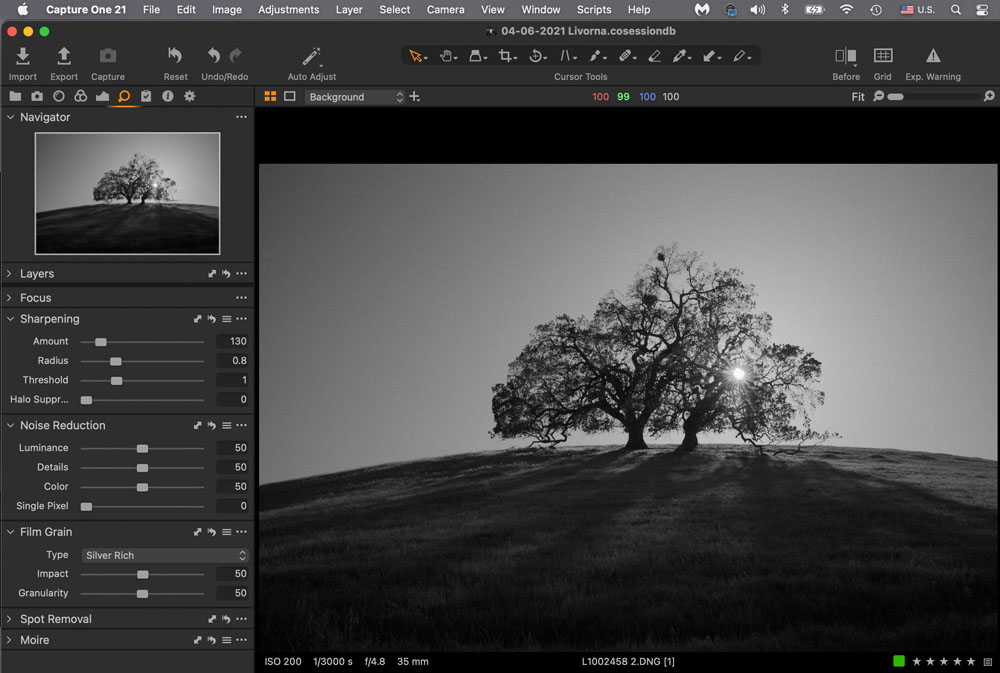
I then added grain using Silver Rich as the pattern and about 50 strength for an analog feel. The Tint in the Three-Way Color panel was edited and moved in all three sections to a warm color. I then ramped in warmth in the three regions (shadow, midtone, and highlight) of the image.
Final Words
The final word on the image is that I’m happy with the way it looked. Shoot and Process Leica M10M files. As an added attribute, the two trees to me represent a pair that weather seasons together. I enjoy finding images that have human characteristics. The pandemic has given me a year to explore close by and get familiar with it through my photography. I hope you have learned something and can be inspired to make images too.